> For the complete documentation index, see [llms.txt](https://help.microweber.com/microweber-whitelabel/llms.txt). Markdown versions of documentation pages are available by appending `.md` to page URLs; this page is available as [Markdown](https://help.microweber.com/microweber-whitelabel/requirements/hosting-panel.md).
# Hosting Panel
With hosting panel you can manage all websites.
You can choose a hosting panel according to what you like.
We have an automated plugin that allows the installation of microweber sites easily.
Here is cPanel what look like
This is the screenshot of the our cPanel auto provision plugin.
{% content-ref url="/pages/nxqJ62daUeIMH9VUBngx" %}
[cPanel](/microweber-whitelabel/requirements/hosting-panel/cpanel.md)
{% endcontent-ref %}
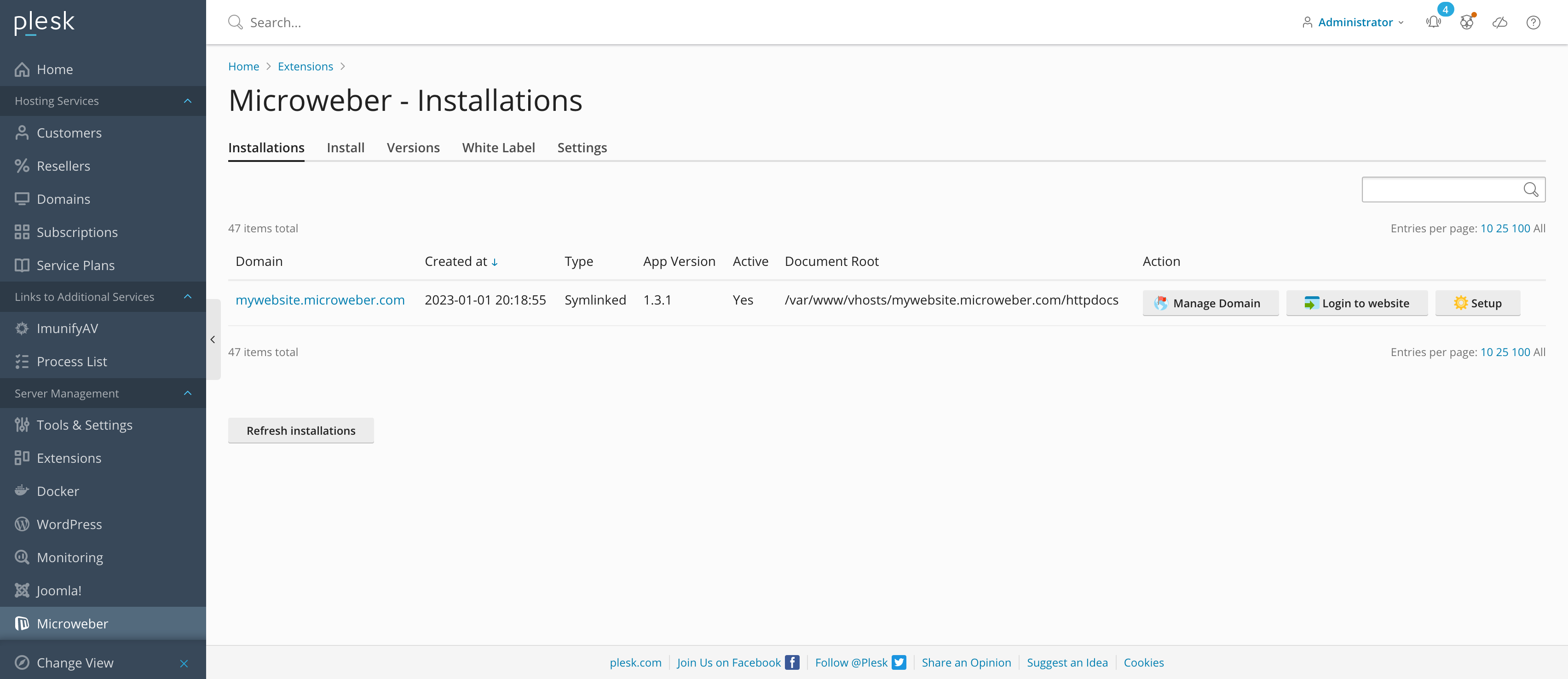
Here is Plesk what look like
This is the screenshot of the our Plesk auto provision plugin.
{% content-ref url="/pages/3jHU899ypc1ZECRORmlu" %}
[Plesk](/microweber-whitelabel/requirements/hosting-panel/plesk.md)
{% endcontent-ref %}
Select the hosting panel to continue process: